 I noticed Everything reviews pacing through plenty of tech blogs lately and downloaded it to try at leisure. I was always quite incompatible with search utilities and preferred to keep stuff where I can find it.
Until I had occasion to try Everything and it suddenly threw me in pure file search bliss adoption.
File search theory
There are two basic approaches to search:
- as it happens – you start search and whatever utility or file manager you use crawls around to find fitting results;
- index – software runs in background at all times and creates database of files that is used for searches.
Latter provides faster searches but has reputation to be total drag on system resources.
Everything provides all benefits of second approach without any usual downsides of indexing.
What it does
On startup Everything does perform an indexing routine. However I have no idea what kind of magic they used but it is blazing fast. Took it about 20 seconds to completely index two of my (messy) hard drives and external (thus slow) drive on top.
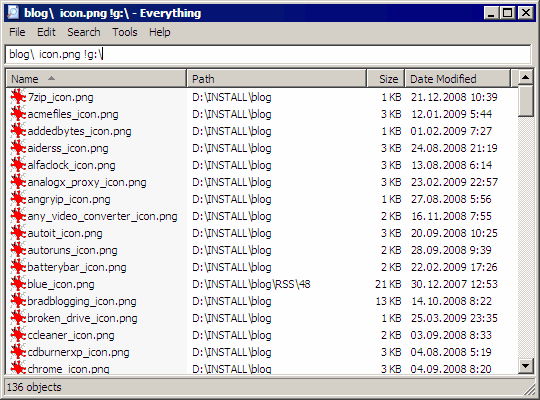
So it has all benefits of index-type search while extremely fast index routine is performed with speed that beats browse-type searches. Awesome.
Interface is minimalistic type-to-find. In best traditions of Nirsoft and Sysinternals utilities.
Usage
Everything supports search by:
- masks;
- in specific paths;
- some boolean operators;
- regular expressions (!).
App is very tweakable:
- extensive operation and inclusion/exclusion options;
- which can be invoked from command line as well.
Limitations
- only works with NTFS volumes;
- doesn’t index file contents;
- indexing network drives requires additional server/client setup.
Overall
Tiny, freeware, powerful utility with excellent performance, light resources usage and completely portable version available. Only using it for a short time but it is seriously one of best small utilities I had seen in recent months.
Home http://www.voidtools.com/
Download http://www.voidtools.com/download.php
Rick #
Rarst #
Rick #
KTecNet® #
Rarst #
Iggi #
Rarst #
Best | Rarst.net #
The DataRat #
Rarst #
The DataRat #
Rarst #
SearchMyFiles – flexible files and their duplicates search | Rarst.net #
Joseph #
Rarst #