 Yet another (keep them coming) suggestion from my Skribit widget “compare the new RealWorld Paint.COM with older free image editors” by Anonymous. In my opinion calling software around old is good way to get your… executable kicked.
So Paint.COM claims to be free image editor with above average functionality and name that is somewhat similar to Paint.NET. Let’s see how it lives up to claims.
Installation
Home page has a brief introduction (lots of smart words, who would even consider downloading image editor without gamma-aware blending and color gradient interpolation) and download link. While link says MSI in file name actual file is EXE. Which is pretty good sign of malware so I spent few extra minutes running it through VirusTotal – came up clean. I was not first to submit file by the way.
Setup package kept crashing, showing DOS window with cryptic “doesn’t fit in memory” error so I had to unpack it with Universal Extractor.
Update: it seems that file downloaded is supposed to be MSI and works fine but for some weird reason it gets renamed when I download it with my copy of Opera.
Interface
Interface is generic with sidebar and numerous toolbars.
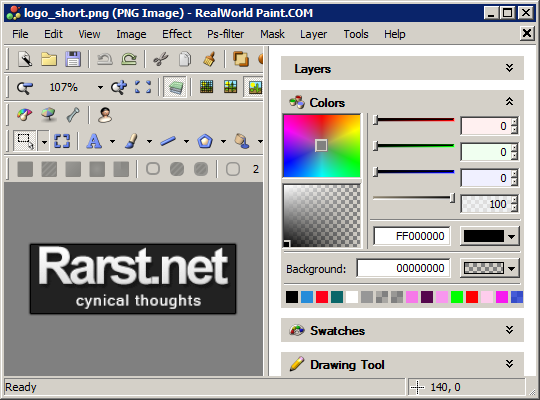
Toolbars can be toggled and dragged around but that’s about it. Plenty of buttons to press. Good for first impression, bad for productivity.
What I need
I am no image editing expert so I focused on what I need most – functions related to screenshoting.
- selection set of tools - good;
- some border effects - nice;
- canvas size tool is - extremely bad;
- no history - deal-breaker.
Overall
Aside from installation problems Paint.COM suffers from poor targeting.
- Novice users are hardly interested in advanced color manipulation and Photoshop filter support. They could really use good history function and cleaner interface instead.
- Advanced users will go and pirate buy Photoshop.
Solid freeware app, but simply being solid is not enough to stand out among image editors. It is a tough niche.
Home&download http://www.rw-designer.com/image-editor
Angelo R. #
Rarst #
MK #
Angelo R. #
Rarst #
Nihar #
Rarst #
Vlasta #
Rarst #
Vlasta #
Rarst #
Vlasta #
Rarst #
Vlasta #
Vlasta #
Rarst #
Vlasta #
Rarst #