Iperf was one of the earliest apps covered at this blog (second only to Opera) and I still happily use it. Strangely, until recently I had completely missed JPerf utility that equips Iperf with graphical interface to escape horrors of command line setup.
What it does
If you are not acquainted with Iperf – it is one of the most flexible tools to run bandwidth test, although somewhat limited by being command line utility.
JPerf comes equipped with Iperf and its only goal is to take command line out of setup picture.
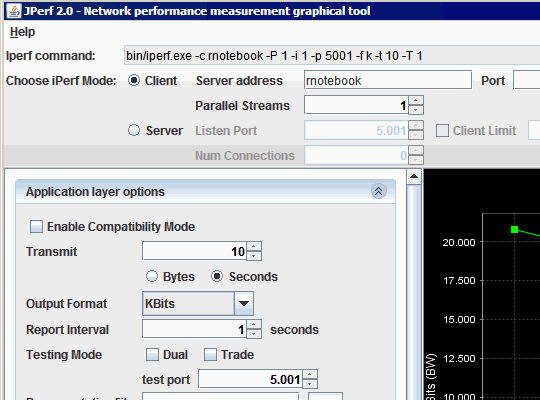
It lists all of extensive options available for running Iperf in either server or client mode. In addition console feedback is shown in interface as well and there is graph that plots bandwidth in real time when test is running.
Strong features
Aside from ease of setup it is also important that you don’t need JPerf on either or both sides of the pipe. It shows command line for settings you chose and that can be easily used with Iperf on its own.
Makes it easier to bear command line but doesn’t cut advantages of using command line.
Downsides
App is little clunky and is served in form of Java applet. Java Runtime is required for it to work and launching app is handled by provided BAT file. Not something you see a lot lately. :)
Overall
Keeps advanced (if not unmatched) functionality of bandwidth tests and complements with decent setup usability.
Download http://sourceforge.net/projects/iperf/files/
ariesta #
Rarst #
ariesta #
Rarst #
Adriana #
Rarst #
vignesh #
Rarst #
ninie #
Rarst #
ninie #
Saurabh #
safiah #
Rarst #
Caio #
Rarst #
Caio #
Rarst #
Caio #
Rarst #
Jyotirmaya Mohanty #
Rarst #
NAEEM #
Rarst #
CC Hsiang #
Rarst #
gautami #
Rarst #
gautami #
Rarst #
Nipun #
Rarst #
Joe #
Rarst #