October 2nd, 2008 Software, Web | comments_icon6 Comments

Filling forms fast in Opera

Opera Software to fill forms on web pages is almost as ancient as Internet. Strangely browsers’ native features for that are not receiving much attention. I rely on Opera form filling a lot and it saves me plenty of time.

Read on for settings.

Filling in personal information

Tool > Preferences > Wand

opera_wand_settings
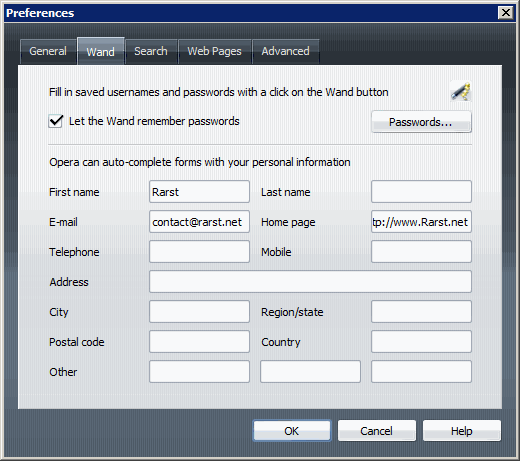
There is button for managing passwords here and fields for personal information as well. After you fill in some stuff when you start filling form on any page you get popup suggesting that information as fast input.
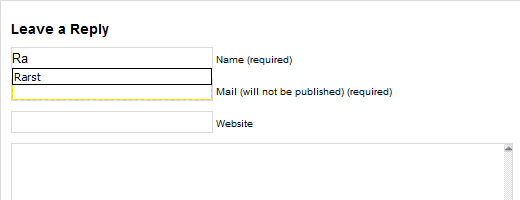
opera_personal_type

You can also tap Down arrow to get a dropdown.
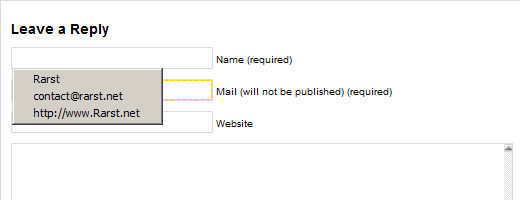
opera_personal_dropdown

What about larger stuff?

You can only put so much in those personal information fields. Bigger chunks of text are managed via Notes section in Sidebar (F4).
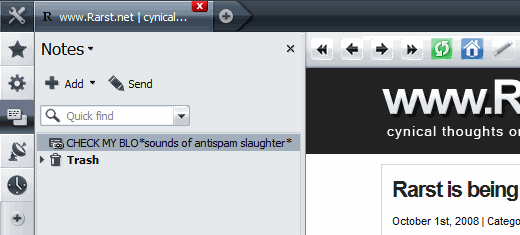
opera_notes

Now you have access to notes in dropdowns and in context menu Right click > Insert Note.
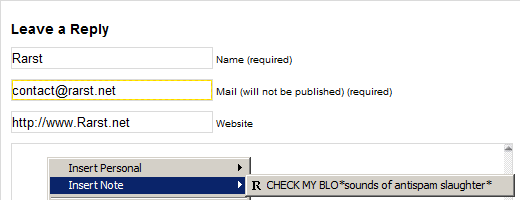
opera_notes_context

Overall

Determine text snippets you use most, save them and never type them again. Easy and efficient.

RSSGet updates via RSS

6 Responses to “Filling forms fast in Opera”

  1. Love you mate! I was using a form filling tool in Firefox for when I submit my websites to directories. I’m a big fan of Opera as you might know, but there is a lack of proper SEO plugins in Opera. That is definitely a step forward!

  2. Rarst says:

    @Ben

    Opera is deep. :) There is really lots of functions that are not well known.

    By the way another nice Notes feature is that they can remember site text came from if you select it and add to Notes from context menu.

    It’s not as powerful as full-featured web clipping apps, but still nice. And synced over Opera Link as well.

  3. Nihar says:

    How about robo autofill form manager. that is great.

    Have you used it? i use it on my home PC.

  4. Rarst says:

    @Nihar

    I know it’s one of the more popular ones. But if I have all I need in Opera why use extra piece of software?

    Balance of specialized software versus multiply functions is interesting topic, might write post on that.

  5. The DataRat says:

    Thanks, Rarst ! Just when I thought I pretty much knew ~all~ of
    Opera. Learned something here (“Insert Note” feature)that I
    previously was completely oblivious to.

    And it’s REALLY COOL. Opera just continues to amaze me with well
    thought out design and many features !

    As for the auto form-fill feature: Been using this for some time in
    Opera, and it’s terrific. IE has a similar auto-complete feature, but
    I’ve never been able to figure out how to make it work. ( Guess it’s
    a good thing, then, I hardly use IE ! )

    The DataRat

    .

  6. Rarst says:

    @DataRat

    I made peace with idea that I will never ever know all of Opera features. :)

Leave a Reply