 Unlike trying software trying operating system is serious commitment. It usually requires making changes to partitions on hard drive. Showstopper for most users.
Do you want to be able to try any OS without any changes or danger to your computer? Even without shutting down Windows? That’s exactly what virtual machine software offers.
What is a virtual machine?
Virtual machine (VM) is like fake computer that is emulated by software running in your OS (host OS). It doesn’t interact with computer’s software or hardware directly making it isolated.
In human language - run any OS (guest OS) like an application in window of your host OS.
Why choose VirtualBox?
Expanding “no commitment” theme VirtualBox is one of the few VM applications that is free and has no restrictions about choice of guest OS (obviously except Mac OS X which is Apple thing). Supports quite a few hosts as well - Windows, Mac, Linux, Solaris.
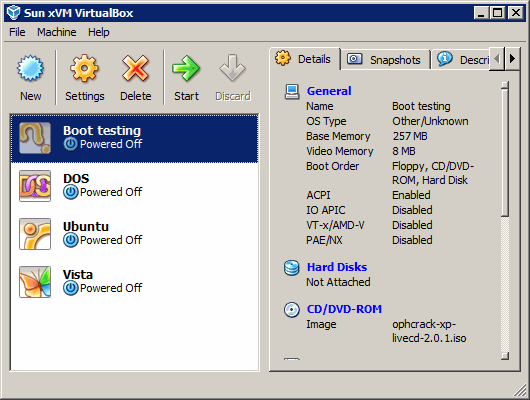
It is also simple to use with extensive help and master to walk you through creation of VMs.
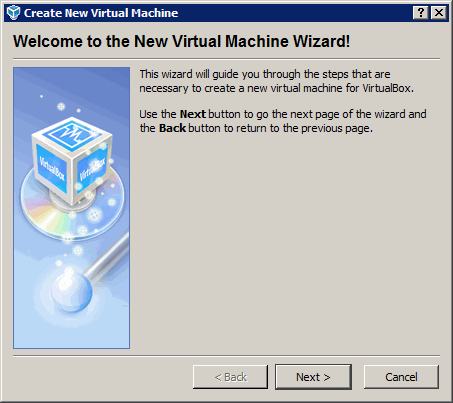
What is required on install Linux guest on Windows host?
Not much.
- Install VirtualBox.
- Create VM, choosing Linux as guest OS and virtual HDD with enough space.
- Download ISO image with Linux you want to try. Ubuntu is popular one and easy to install.
- Mount ISO image to the VM clicking CD/DVD-ROM in configuration and following instructions.
- Start VM and follow instructions from that Linux of your choice.
Resource consumption
On the downside running VM may require tons of resources. You must have chunk of free memory to give VM big enough to run guest OS. And it can strain processor a lot as well. Modern computers are going to be fine but older ones could have trouble running resource-hungry operating systems.
Overall
VirtualBox may not be something to use daily. But it’s great to acquire some experience with different operating systems.
Home page http://www.virtualbox.org/
Download page http://www.virtualbox.org/wiki/Downloads
Ben #
Rarst #
Peter #
Rarst #
Readers suggest – best SQLite tools digest | Rarst.net #
Lubuntu – light Ubuntu Linux derivative | Rarst.net #