Previous part of series – making a shot .
Getting screenshot (or several) doesn’t mean that process is over. Editing ensures that image fits content well and compressing that server load remains light while readers get to content at best speed possible.
Paint.NET
 Image editing software is often evaluated with flawed “how does it compare to Photoshop? ” question. Truth is most people don’t face tasks that require such complex (and expensive) software and don’t have skills for using it to the fullest.
Paint.NET is image editor inspired by opposite question “can Microsoft Paint concept be made into something usable? ”
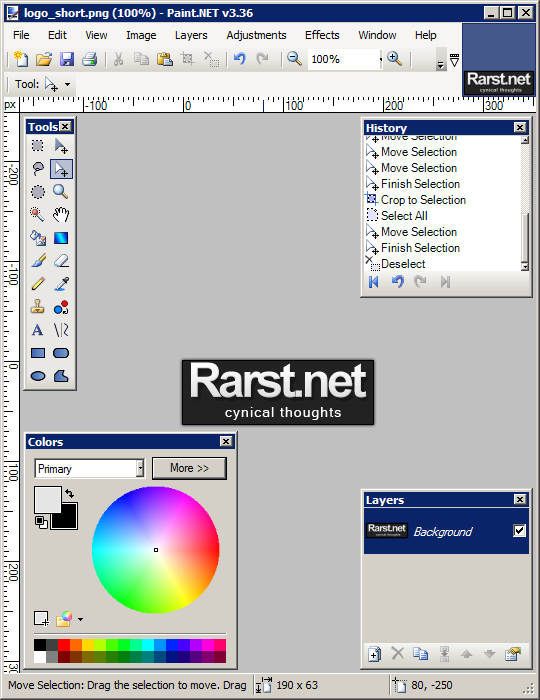
After few years of development Paint.NET shaped into handy image editor (with support of layers, history and plugins) while remaining easy to use and beginner-friendly. Personally I am unable to draw a simplest thing but app gives me easy to use tools for cropping and other polishing of my screenshots.
Download http://www.getpaint.net/download.html#download
Note – requires .NET Framework
Compressing
Post on image formats explained that different formats are good for different things. However using appropriate format doesn’t guarantee of excellent result. Image compressing is less of a science and more of poking each image on separate basis. Most image editing software tries to relieve user from that and works on kind of best effort principle – images are compressed using generic parameters.
To tinker it further you need specialized tools.
OptiPNG
OptiPNG is command line utility that allows compressing PNG images to the max. It approaches high compression in two ways:
- allowing to chose very specific settings;
- calculating best possible compression by brute force computing approach.
I have to admit that few people consider using command line utilities fun. In this case they can get Paint.NET plugin that provides all function of OptiPNG with graphical interface and result preview.
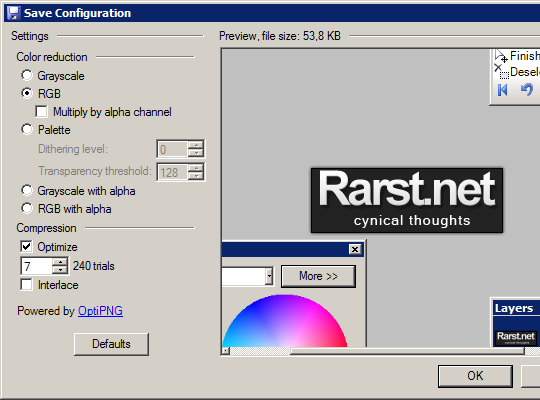
paintnet_optipng
Home&download http://optipng.sourceforge.net/
Paint.NET plugin http://forums.getpaint.net/index.php?showtopic=22841
Radical Image Optimization Tool
I had briefly mentioned RIOT in my post on IrfanView (which comes bundled with it).
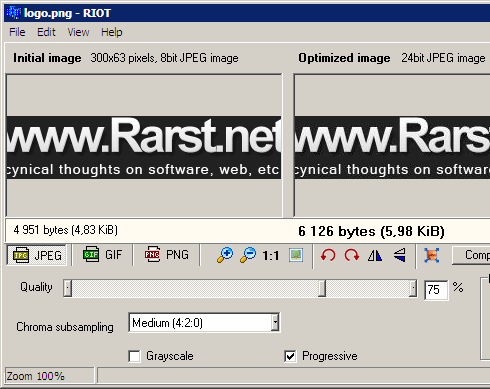
Since then I had few opportunities to use it. It has bit raw feeling of early version (which it is with development ongoing) and inferior to OptiPNG for PNG compression. However for JPEG and GIF it’s more than suitable with excellent real-time preview and flexible compression settings. I think actual interface is best part of RIOT because it favors experimenting which is best way possible to get good (both in image size and quality) compression results.
Home http://luci.criosweb.ro/riot/
IrfanView http://www.irfanview.com/
Overall
Truthfully there is no ultimate approach to editing and compressing images. In my opinion most important thing here is that process starts with software. You can get result with anything but to work with images on daily basis image editing and compressing tools that work best for you are needed .
My suggestions are those that fit me and something to start with. Look around, try different tools and choose for yourself.
Next part of screenshoting series is going to cover creating guidelines for your screenshots and making them fit those.
Lyndi #
Rarst #
Archer #
Rarst #
Paint.COM image editor (Paint.NET wannabe?) | www.Rarst.net #
How to choose image editor that is right for you | Rarst.net #
Adrian #
Rarst #
software development company #
Rarst #
BlogSEO #
Oster #