 I always have mixed feelings about Explorer – Windows native file manager. For all interface decisions, standard experience and many years of development it is still unfitting for anything but basic tasks.
There are numerous apps that try to improve Explorer via toolbars and other interface extensions. Q-Dir goes further by incorporating Explorer windows in its interface.
What it does
Simply put Q-Dir combines several (1-4) Explorer windows in single interface and surrounds with some nifty additional functions.
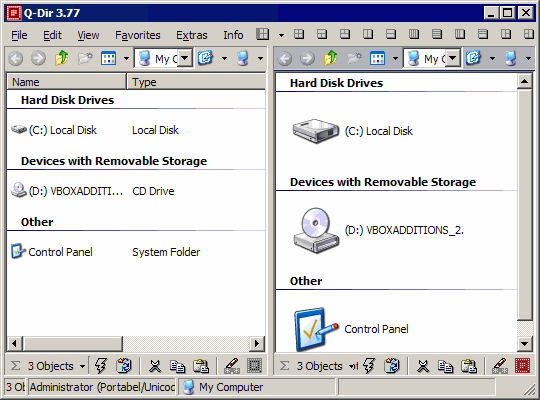
There is large number of different layouts that can be quickly chosen with buttons in toolbar. There is also interesting option to save current layout and paths into file on desktop.
Other customizations like color schemes and tweaks for some interface elements are available.
But on inside it functions and feels exactly like Explorer.
Unique approach
Q-Dir is one of the most original file managers I know:
- deviates furthest from Explorer without dropping it;
- completely ignores classic dual-pane paradigm even if some layouts look close.
This makes it very fast, responsive and zeroes learning curve. On other hand it is extremely mouse-driven (as is Explorer) and oblivious to polished and efficient hotkeys of dual-pane file managers.
Overall
Q-Dir is freeware that is probably best fit for users that find Explorer no longer sufficient but have no background, resolve or need to move into realm of more powerful solutions.
With tiny size, light resource footprint and native portable option it is also good to carry on flash drive or quickly fetch from Internet.
Home&download http://www.softwareok.com/?seite=freeware/Q-Dir
JeeMan #
Rarst #
keith #
Rarst #
Gestionar archivos con varias ventanas #
Snowbird – stupidly simple and fast file manager | Rarst.net #
Rob Crombie #
Rarst #
Rob Crombie #
Rarst #